
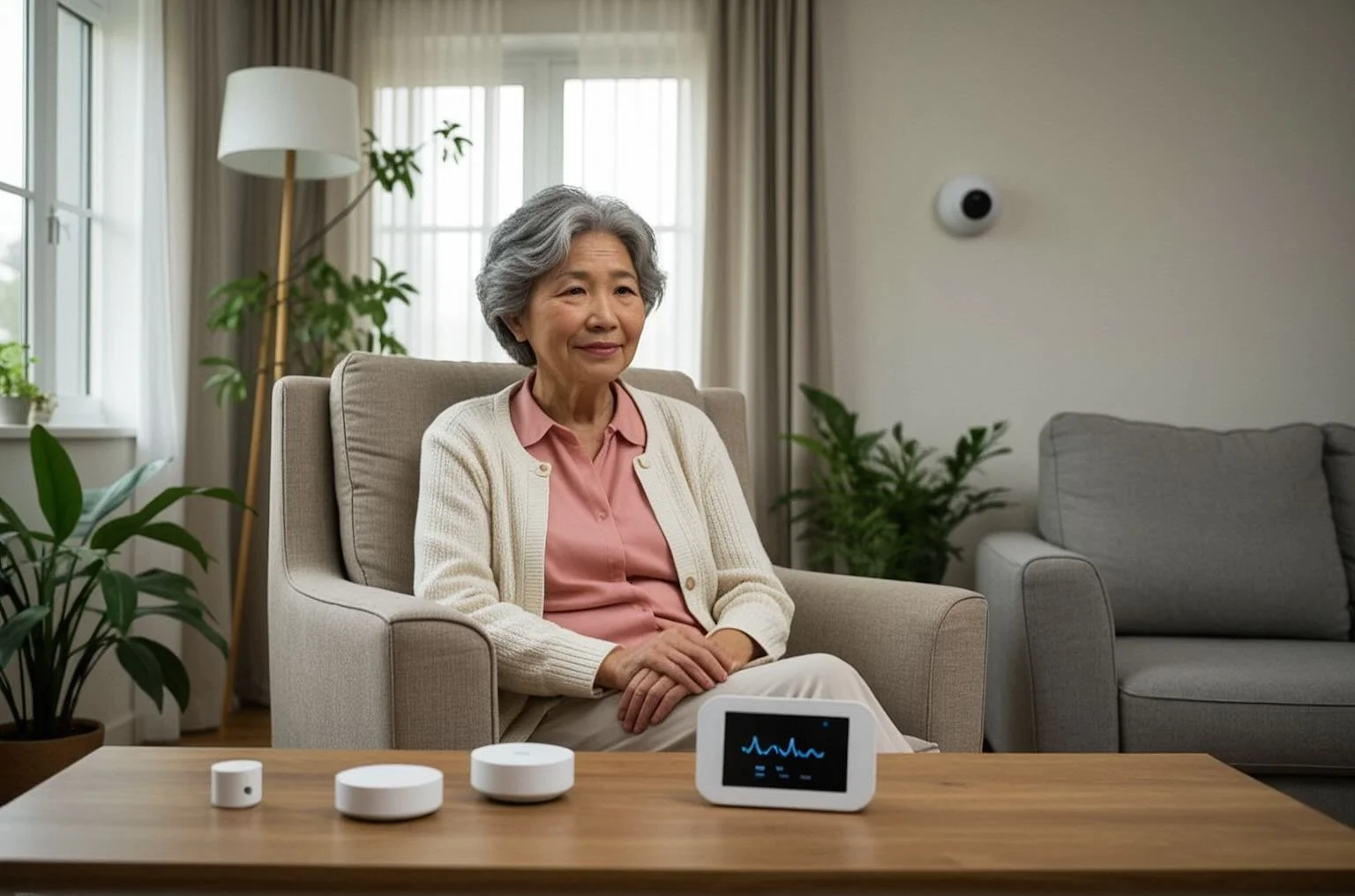
Elder Care Sensors That Respect Privacy

At 9:30 p.m., you notice your mom still has not answered your text. She lives alone, values her independence, and insists she is fine. But when a routine goes quiet, your mind does not. That is where elder care sensors can make a real difference - not by watching every moment, but by helping families understand whether daily life is unfolding as expected.

For many adult children, the hardest part of caregiving is not the tasks themselves. It is the uncertainty. You are trying to work, manage your own household, and stay present for someone you love, all while wondering if they got out of bed, moved around the house normally, or spent an unusual amount of time in the bathroom. Good monitoring should reduce that uncertainty without making home feel like a hospital.

What elder care sensors actually do

Elder care sensors are small devices placed around the home to detect patterns of activity. Depending on the system, they may track motion in key rooms, door openings, bed occupancy, or signs that a normal routine has changed. The goal is not constant surveillance. The goal is to notice meaningful shifts.

That difference matters. A camera may show raw footage, but it also asks families to monitor more than they want to see and many older adults simply do not want to live on camera. Wearables can help in some cases, but they rely on a person remembering to put them on, charge them, and keep them nearby. Passive sensors work in the background. When they are designed well, they offer a clearer picture of daily wellbeing with less effort and far less intrusion.

A simple example helps. If your dad usually starts moving around the kitchen by 7 a.m. and one morning there is no activity, that may prompt a check-in. If bathroom visits suddenly increase overnight for several days, that could suggest a health change worth discussing. If movement steadily drops over two weeks, it may point to fatigue, pain, depression, or recovery trouble. One isolated event may mean nothing. A pattern is what gives the information value.

Why families are turning to elder care sensors

Most families are not looking for more data. They are looking for reassurance they can trust. That is why elder care sensors have become more appealing to caregivers who feel stretched thin and do not want another complicated system to manage.

The biggest benefit is early visibility. Small changes often show up in routine before they become obvious in conversation. A parent may say everything is normal because they do not want to worry anyone, or because they have not noticed the gradual shift themselves. Sensors can help surface those changes sooner, while there is still time to respond calmly.

There is also a dignity piece that should not be overlooked. Many older adults want support, but not supervision. They want to stay in their own home without feeling watched. Passive monitoring respects that boundary better than cameras or microphones. It offers oversight without turning private moments into footage or audio clips.

For long-distance caregivers, this can be especially meaningful. If you cannot stop by every day, uncertainty tends to fill the gaps. A smart sensor system gives you context. Not every alert means an emergency, but knowing whether routines are stable can take some of the emotional weight off your shoulders.

The best elder care sensors focus on patterns, not just events

This is where systems begin to separate from one another. Basic sensors can tell you that motion happened in a room. More advanced systems can understand whether the overall pattern looks normal for that person.

That matters because caregiving decisions are rarely based on one moment. They are based on change over time. A single missed kitchen visit may be harmless. Three mornings in a row is a different story. A front door opening once in the afternoon is expected. Repeated overnight exits may not be.

Behavioral context turns sensor signals into something useful. Instead of making family members interpret raw activity logs on their own, the better approach is to translate household activity into simple, meaningful insights. That might mean an alert when there is no morning movement, or a summary showing that sleep appears more disrupted than usual.

This is one reason families often prefer AI-supported monitoring over older alert systems. It is not just about collecting signals. It is about helping caregivers understand what those signals may mean in everyday life.

Privacy is not a feature - it is the point

If you are considering monitoring for a parent, privacy should be part of the decision from the start. Many families reject cameras immediately, and with good reason. Even if the goal is safety, cameras can feel invasive in bedrooms, bathrooms, and the ordinary private rhythms of home.

The same is true for microphones. Most people do not want conversations captured, stored, or reviewed. And many seniors will tolerate those tools only reluctantly, which can create tension right when families are trying to build trust.

That is why discreet motion-based systems are often a better fit. They can show whether someone is active, resting, or following their normal routine without recording what they look like, what they are doing in detail, or what they are saying. The technology fades into the background, which is often exactly what older adults want.

Privacy also affects adoption. A solution only works if your loved one agrees to live with it. The less intrusive it feels, the more likely they are to accept it as support rather than surveillance.

What to look for before you choose a system

Not all monitoring setups are equally helpful. Some give families a flood of notifications without enough context. Others are so basic that they do little beyond confirming motion in a room. The best systems strike a balance between visibility and simplicity.

Look for a system that can learn routines over time rather than forcing you to define every rule manually. Daily life is not perfectly scheduled, and a rigid setup can produce too many false alarms. You also want alerts to be understandable at a glance. If you are juggling meetings, errands, and your own family, you should not need to study charts just to know whether something needs attention.

Ease of installation matters too. Complex hardware can delay adoption and create frustration before the system even starts helping. Families usually do best with sensors that are quick to place, easy to maintain, and designed for ordinary homes rather than clinical settings.

It is also worth thinking about who receives the information. Some systems are built for professional staff. Others are built for family caregivers who simply want timely updates on their phones. That difference shapes the whole experience.

Where sensor monitoring helps most

Elder care sensors are especially helpful when the concern is not one dramatic event but an accumulation of small risks. That includes falls, wandering, disrupted sleep, mobility decline, recovery after hospitalization, or signs that someone is becoming less active and less steady at home.

They can also support families dealing with conditions that affect movement or routine. Parkinson's disease, for example, may change gait, nighttime bathroom use, or general activity levels. Recovery from illness or injury may bring slower mornings and more time resting. Even without a formal diagnosis, subtle changes in behavior can be the first sign that extra support is needed.

For many families, the value is not that sensors replace care. It is that they help care happen sooner and with less guesswork. A son who sees a meaningful change can call that day instead of waiting until the weekend. A daughter who notices repeated overnight disruptions can bring it up at the next doctor visit with something more concrete than a vague feeling.

StackCare was built around that everyday reality: families do not need more surveillance. They need dependable insight that helps them protect a loved one's independence while feeling less alone in the process.

The trade-offs are real, and that is okay

No technology removes every caregiving challenge. Sensors do not diagnose medical conditions, and they cannot replace human judgment or regular contact. They also work best when the home setup matches the person's habits and needs. If someone spends long periods sitting very still, or lives with others, interpreting activity may become more nuanced.

Still, the right system can shrink the space between worry and action. It can tell you when a routine looks off, when a pattern changes, and when it may be time to check in. That is often enough to turn late-night uncertainty into a plan.

If you are trying to help a parent stay safe at home, start with a simple question: what would actually give your family peace of mind without taking away theirs? The best answer is usually not more watching. It is better understanding.
Family Guide to Passive Monitoring at Home

You may not need another app, another spreadsheet, or another nightly text that says, “Just checking in.” What many families need instead is a clearer way to know whether an older parent is following their usual routine - getting out of bed, moving through the house, using the bathroom normally, and settling in for the night. That is where a family guide to passive monitoring can help.

For adult children caring from across town or across the country, uncertainty is often the hardest part. If Mom does not answer the phone, is she napping, out with a friend, or lying on the floor after a fall? If Dad seems a little more forgetful lately, is it just a rough week or the start of a pattern? Passive monitoring does not replace human care, but it can reduce the guesswork that turns normal concern into constant worry.

What passive monitoring actually means

Passive monitoring is a way to keep track of daily activity in the home without asking an older adult to wear a device, press buttons, or live under a camera. Instead, small motion sensors placed around the home detect movement and help build a picture of normal routines over time.

That picture matters more than a single moment. One missed phone call may mean nothing. But if someone who usually wakes up at 7:00 has no bedroom activity by 10:00, or starts making frequent overnight bathroom trips, those changes can tell a family something important may be shifting.

The best passive monitoring systems do more than collect motion data. They interpret patterns and send simple alerts or summaries so family caregivers are not forced to study raw activity logs. That difference is easy to overlook, but it is often what makes the technology useful in real life.

Why families are turning to passive monitoring

Most families do not start looking for support because of a single dramatic event. More often, it begins with a series of smaller moments. A parent forgets to charge their phone. A neighbor mentions they have not seen them outside in a few days. You notice they seem slower getting around, but you are not sure whether it is meaningful.

At the same time, many older adults are clear about what they do not want. They do not want a camera in the living room. They do not want to wear a watch they forget to charge. They do not want to feel supervised in their own home.

Passive monitoring sits in the middle of those two realities. It gives families visibility without making the older adult feel watched. That balance is why it is especially helpful for seniors who live alone, want to remain independent, and need a little more oversight than occasional check-ins can provide.

A family guide to passive monitoring starts with the right goal

Before comparing features, it helps to be honest about what problem you are trying to solve. Some families are worried about falls. Others are noticing signs of cognitive decline, recovery after hospitalization, or changes linked to Parkinson’s disease or reduced mobility. Some simply want reassurance that a parent is up, moving, and keeping a predictable routine.

Those are not all the same need, and the right setup depends on the answer. If your main concern is general wellbeing, activity trends and daily summaries may be enough. If your concern is sudden change, real-time alerts become more important. If you are supporting someone who gets up often at night, bathroom and bedroom activity may matter more than front-door movement.

A good system should help you see what is relevant without flooding you with information. More data is not always more helpful. For a family already stretched thin, clarity matters more.

What passive monitoring can help you notice

When passive monitoring works well, it highlights changes in routine that might otherwise go unnoticed for days or weeks. That can include less movement during the day, long periods of inactivity, unusual overnight wandering, or a shift in bathroom habits.

These are not diagnoses. They are signals. A drop in kitchen activity could mean a parent is skipping meals, feeling unwell, or just having a quieter day than usual. More nighttime motion could reflect poor sleep, medication changes, urinary issues, or increased confusion.

That is the trade-off families should understand. Passive monitoring is powerful because it gives context and continuity, but it does not tell you everything. It will not explain why something changed on its own. It helps you know when to ask better questions, check in sooner, or involve a doctor if needed.

Privacy is not a side benefit

For many families, privacy is the deciding factor. A solution can be technically impressive and still feel wrong if it turns a home into a place of surveillance.

That is why passive monitoring appeals to so many older adults. There are no cameras recording personal moments. No microphones capturing conversations. No expectation that someone must remember to wear or charge a device every day. The home stays a home.

This matters emotionally as much as practically. Seniors are more likely to accept support when it does not feel intrusive or infantilizing. Adult children are more likely to stick with a system when they feel informed rather than voyeuristic. Good caregiving support should reduce tension, not create new arguments about privacy and control.

What to look for in a family guide to passive monitoring solutions

Not all systems are built the same, even if they sound similar on the surface. Some give you streams of sensor activity and leave interpretation up to you. Others use behavioral analytics to learn routine patterns and turn them into plain-language insights.

That distinction matters when you are juggling work, kids, appointments, and your own life. You should not have to become a data analyst to know whether your parent seems okay.

Look for a system that makes setup straightforward, communicates clearly, and sends alerts that are specific enough to be useful. “No activity detected this morning” tells you more than a vague warning. Daily summaries can also be valuable because they reduce the need to check the app constantly while still keeping you informed.

It also helps to ask how the system handles normal variation. No one follows the exact same routine every day. Good monitoring should recognize patterns over time, not treat every small difference as a crisis. Too many false alarms can cause families to ignore alerts altogether.

How to introduce passive monitoring to a parent

This conversation often goes better when the goal is framed around support, not control. Most older adults respond poorly if they feel the decision has already been made for them. They respond much better when they hear what the system is meant to protect.

It can help to say, “I know you want to stay in your home, and I want that too. This would help me know if something changes without bothering you all day.” That keeps the focus where it belongs - on independence, safety, and peace of mind.

Be prepared for mixed feelings. A parent may agree with the logic and still feel uneasy at first. That does not always mean the answer is no. It may mean they need reassurance about privacy, what is and is not being tracked, and who will see the information.

The best conversations are concrete. Explain that the system notices movement, not personal details. Explain that it helps spot changes in routine, not monitor every choice. And explain that the point is to support living at home longer, not to take autonomy away.

When passive monitoring is especially useful

Passive monitoring is often a strong fit after a hospitalization, during recovery from injury, or when a family is noticing subtle declines but is not ready for in-home care every day. It can also be helpful for long-distance caregivers who cannot drop by easily and for siblings who want a shared understanding of how a parent is doing.

It is also useful in the gray area that many families know well. A parent may not be in immediate danger, but something feels off. They are slower. Less active. More tired. More forgetful. In those situations, routine data can bring either reassurance or early warning, both of which are valuable.

Companies like StackCare are built around that middle ground. The goal is not constant surveillance. It is timely awareness that helps families act sooner, with less stress and more confidence.

What passive monitoring cannot do

It is worth saying plainly that passive monitoring is not emergency care, and it is not a replacement for human connection. It will not sit with your parent at a doctor visit, notice a change in mood over lunch, or persuade them to drink more water.

But that does not make it limited. It makes it specific. Its job is to help families see patterns, catch meaningful changes, and worry less about what they cannot see day to day. When used alongside regular communication and hands-on support, it can make caregiving feel more manageable.

That may be the real value of a family guide to passive monitoring. It is not just about sensors or alerts. It is about easing the mental load that comes from loving someone who wants to live independently, while knowing that independence can become fragile faster than anyone likes to admit.

If you are carrying that quiet worry every day, the right kind of visibility can make home feel safer for your parent and a little less heavy for you.

7 Best Non Wearable Caregiver Alert Systems

When a parent refuses to wear a pendant, forgets to charge a smartwatch, or takes it off at night, the whole safety plan can fall apart. That is why many families start looking for the best non wearable caregiver alert systems - options that work quietly in the background and still let you know when something seems off.

For many caregivers, the goal is not constant surveillance. It is relief. You want to know if your mom got out of bed this morning, whether your dad is moving around less than usual, or if something changed overnight, without asking them to learn another device or give up their privacy. The right system can make that possible, but not every non-wearable option works the same way.

What makes the best non wearable caregiver alert systems different

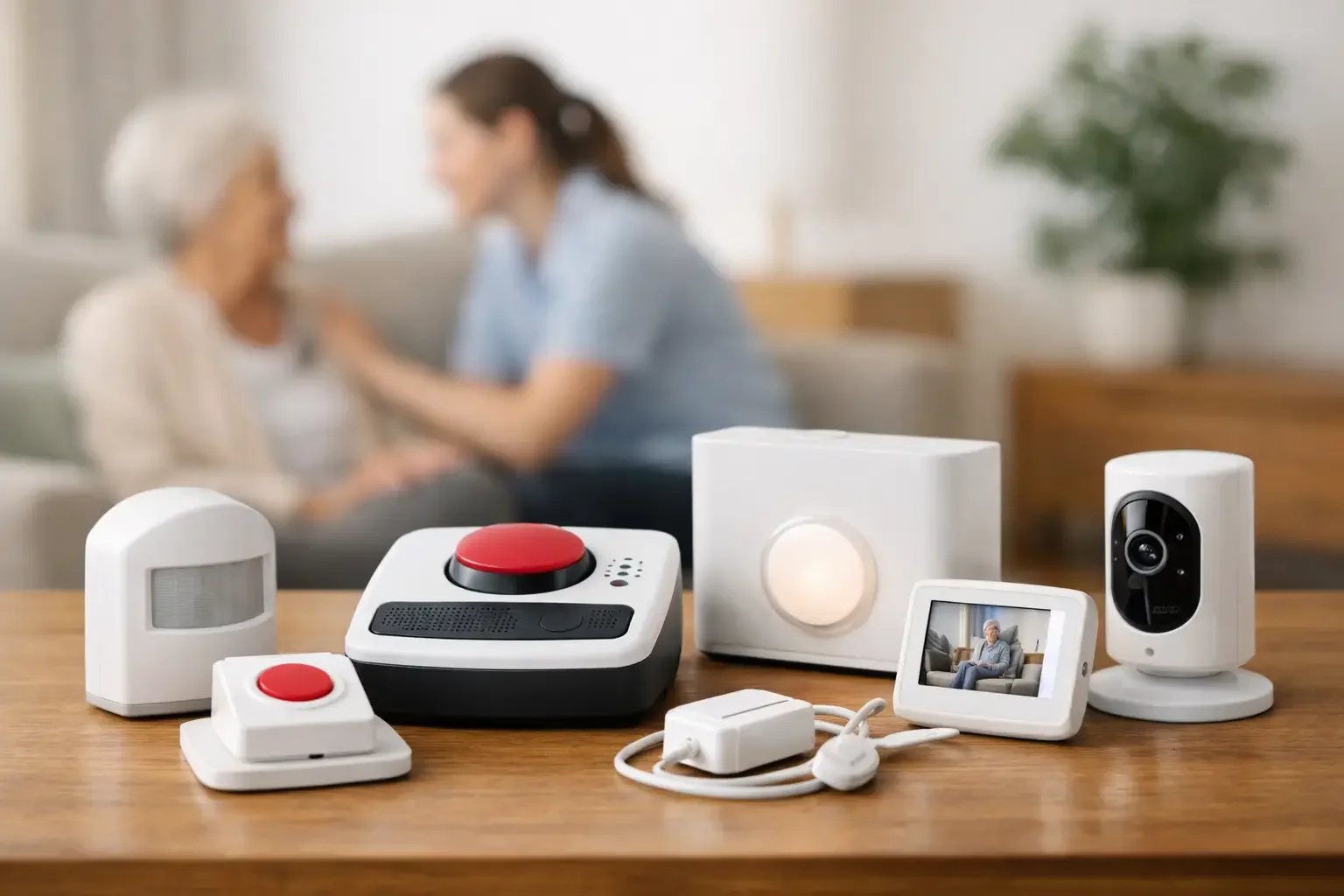
The biggest difference is how they detect risk. Some systems rely on motion sensors placed around the home. Others use wall-mounted help buttons, voice activation, bed sensors, floor mats, or smart home devices. A few combine several of these approaches.

That matters because caregiver needs are rarely one-size-fits-all. A person recovering from surgery may need a simple way to call for help from bed or the bathroom. Someone with memory issues may need passive monitoring that does not depend on remembering to push anything at all. And for long-distance families, alerts are only useful if they are clear, timely, and easy to act on.

Privacy also separates the strongest systems from the rest. Many families want oversight without cameras in bedrooms or microphones listening all day. The best solutions respect that boundary while still offering meaningful information.

The main types of non-wearable caregiver alert systems

Passive in-home monitoring

These systems use motion or occupancy sensors to track daily activity patterns. Instead of waiting for someone to press a button, they look for changes in routine, such as no kitchen activity in the morning, unusually long bathroom visits, or reduced movement throughout the day.

This category is often the best fit for seniors who live alone and value independence. It is especially helpful when the real concern is not one dramatic emergency but the slow build of small warning signs. A passive system can show that something changed before a crisis becomes obvious.

One strong example is StackCare, which uses discreet sensors and behavioral monitoring to send alerts and summaries to family caregivers without relying on wearables, cameras, or microphones. That kind of setup is often appealing to families who want visibility without making home feel medicalized.

The trade-off is that passive monitoring may not function like a traditional panic button. It can tell you something is unusual, but it may not give a senior an immediate manual way to call for help unless paired with another tool.

Wall-mounted emergency buttons

These are fixed help buttons placed in key areas like the bathroom, bedroom, or hallway. They can be a practical alternative for someone who will not wear a pendant but can still press a button during an emergency.

Their biggest strength is simplicity. There is very little to remember, and the device stays where it is needed. Bathrooms are a common choice because that is where slips and falls often happen.

The drawback is obvious - the person has to be near the button and able to press it. If they fall across the room, become confused, or lose consciousness, the system cannot do much on its own.

Voice-activated alert systems

Voice-based systems let a senior call for help without reaching for a wearable or fixed button. For someone with limited mobility, that can be a meaningful advantage.

But voice systems depend heavily on context. Background noise, soft speech, hearing issues, accents, and cognitive decline can all affect reliability. They may work well in one room and poorly in another. Families also need to be comfortable with devices that are always listening for a wake word or command, which can feel too intrusive for some households.

Bed sensors and chair sensors

These systems detect when someone gets up, does not return to bed, or remains in a chair too long. They are commonly used after a hospitalization, during rehabilitation, or when nighttime wandering is a concern.

They are useful, but narrow. A bed sensor can tell you that someone got up at 2 a.m. It cannot tell you whether they then made breakfast, took a shower, or spent the day unusually inactive. For that reason, these systems are often best as part of a larger setup rather than the only line of monitoring.

Smart home and door-based alerts

Door sensors, appliance monitoring, and smart home routines can also support caregiving. You can be notified if an exterior door opens overnight, if the medicine cabinet has not been opened, or if the kitchen activity that usually happens every morning never starts.

These tools can be very useful for specific concerns like wandering or missed meals. Still, they often require more setup and interpretation. Families may end up piecing together multiple alerts rather than receiving one clear picture of how their loved one is doing.

How to choose the best non wearable caregiver alert systems for your family

The best choice starts with one honest question: what are you actually worried about?

If you are most concerned about falls in the bathroom, wall buttons or motion-based fall-risk detection near high-risk areas may be enough. If the deeper issue is uncertainty - not knowing whether your parent is following a normal routine, sleeping well, or moving less over time - passive monitoring is usually the better fit.

It also helps to think about what your loved one will accept. Many seniors reject anything that feels like surveillance or a visible symbol of decline. A system that sits quietly in the background often gets less resistance than something they have to wear, charge, or talk to.

You should also look closely at how alerts are delivered. Some systems simply send raw notifications. Others interpret the information and tell you what changed in plain language. That difference matters when you are juggling work, kids, and caregiving from another city. You do not need more data. You need fewer question marks.

What features matter most in daily caregiving

Reliability comes first. If internet outages, battery issues, or missed detections are common, the system will create more anxiety instead of less. You want a setup that works consistently and does not depend on your loved one remembering steps.

Clear alerts matter almost as much. A vague message that says motion was detected is not very helpful. A useful alert gives context, such as no morning kitchen activity or unusual nighttime bathroom frequency. The more meaningful the alert, the faster you can decide whether to call, wait, or check in.

Privacy deserves real attention too. Camera-based systems may seem appealing at first, but many families and older adults quickly realize they feel too invasive. Non-wearable does not always mean privacy-friendly. Some voice systems and indoor cameras raise just as many concerns as wearables solve.

Finally, think about setup and support. A system can sound impressive on paper and still become a burden if installation is confusing or the app is hard to use. Family caregivers usually need technology that feels calm, not complicated.

Common trade-offs families should expect

There is no perfect system, only a better match for a specific situation.

A manual alert button gives immediate emergency access, but only if it is pressed. Passive monitoring catches behavior changes, but it may not replace urgent emergency response. Voice systems offer hands-free help, but not every older adult can use them reliably. Smart home tools can be powerful, but they may require too much maintenance for already stressed families.

That is why many of the best non wearable caregiver alert systems are really combinations of tools rather than a single device. A passive monitoring system paired with one or two fixed emergency buttons often covers more real-life scenarios than either option alone.

When non-wearable systems are the strongest choice

These systems tend to be the best option when a loved one lives alone, resists wearables, has mild memory issues, or wants support without feeling watched. They are also helpful for long-distance caregivers who cannot rely on daily visits to notice subtle changes.

They may be less complete for someone with advanced cognitive decline, frequent acute medical events, or a history of sudden falls without warning unless the system includes a stronger emergency response component. In those cases, families may need a more layered approach.

The right technology should reduce tension in the family, not create more of it. It should help a senior stay independent while giving caregivers a clearer sense of what is happening at home.

If you are weighing options right now, trust the reality you are living with. The best system is not the one with the longest feature list. It is the one your loved one will actually live with, and the one that helps you worry a little less when the phone is quiet.