7 Best Non Wearable Caregiver Alert Systems

When a parent refuses to wear a pendant, forgets to charge a smartwatch, or takes it off at night, the whole safety plan can fall apart. That is why many families start looking for the best non wearable caregiver alert systems - options that work quietly in the background and still let you know when something seems off.

For many caregivers, the goal is not constant surveillance. It is relief. You want to know if your mom got out of bed this morning, whether your dad is moving around less than usual, or if something changed overnight, without asking them to learn another device or give up their privacy. The right system can make that possible, but not every non-wearable option works the same way.

What makes the best non wearable caregiver alert systems different

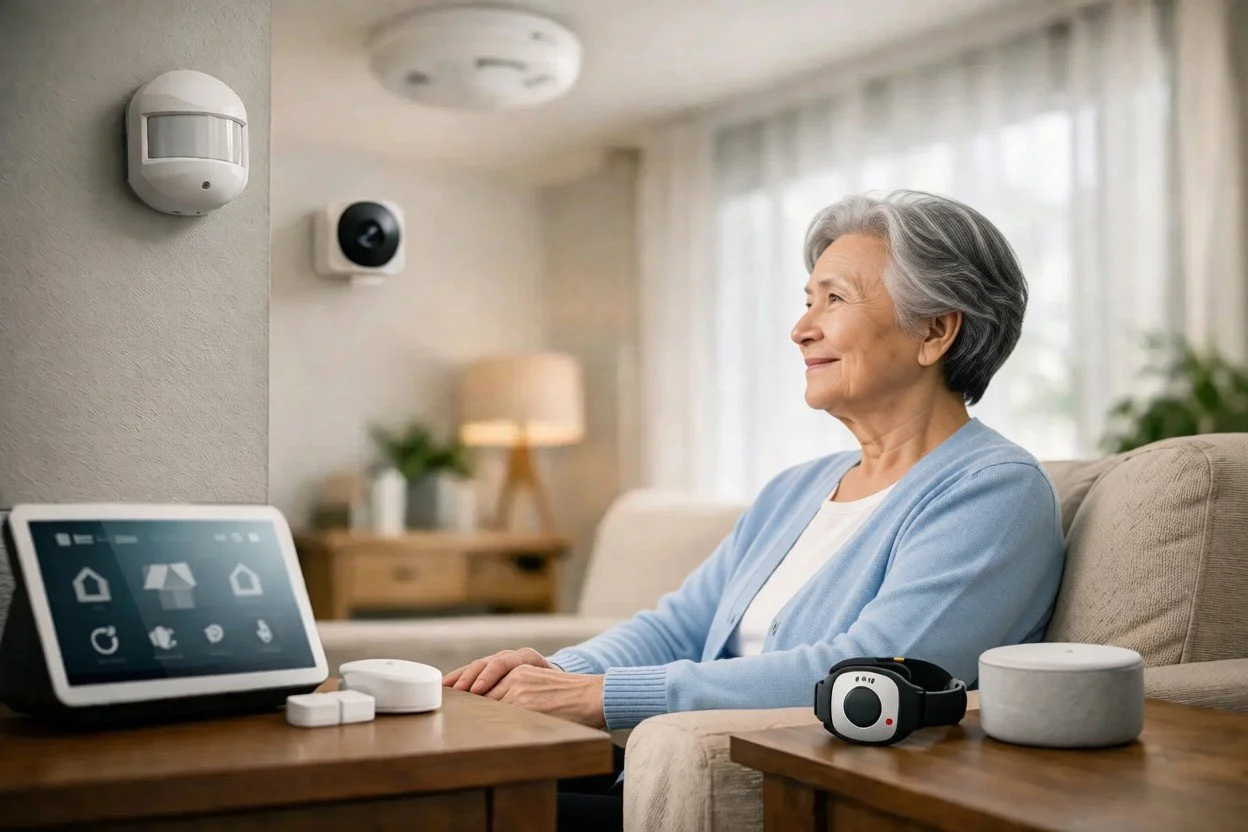
The biggest difference is how they detect risk. Some systems rely on motion sensors placed around the home. Others use wall-mounted help buttons, voice activation, bed sensors, floor mats, or smart home devices. A few combine several of these approaches.

That matters because caregiver needs are rarely one-size-fits-all. A person recovering from surgery may need a simple way to call for help from bed or the bathroom. Someone with memory issues may need passive monitoring that does not depend on remembering to push anything at all. And for long-distance families, alerts are only useful if they are clear, timely, and easy to act on.

Privacy also separates the strongest systems from the rest. Many families want oversight without cameras in bedrooms or microphones listening all day. The best solutions respect that boundary while still offering meaningful information.

The main types of non-wearable caregiver alert systems

Passive in-home monitoring

These systems use motion or occupancy sensors to track daily activity patterns. Instead of waiting for someone to press a button, they look for changes in routine, such as no kitchen activity in the morning, unusually long bathroom visits, or reduced movement throughout the day.

This category is often the best fit for seniors who live alone and value independence. It is especially helpful when the real concern is not one dramatic emergency but the slow build of small warning signs. A passive system can show that something changed before a crisis becomes obvious.

One strong example is StackCare, which uses discreet sensors and behavioral monitoring to send alerts and summaries to family caregivers without relying on wearables, cameras, or microphones. That kind of setup is often appealing to families who want visibility without making home feel medicalized.

The trade-off is that passive monitoring may not function like a traditional panic button. It can tell you something is unusual, but it may not give a senior an immediate manual way to call for help unless paired with another tool.

Wall-mounted emergency buttons

These are fixed help buttons placed in key areas like the bathroom, bedroom, or hallway. They can be a practical alternative for someone who will not wear a pendant but can still press a button during an emergency.

Their biggest strength is simplicity. There is very little to remember, and the device stays where it is needed. Bathrooms are a common choice because that is where slips and falls often happen.

The drawback is obvious - the person has to be near the button and able to press it. If they fall across the room, become confused, or lose consciousness, the system cannot do much on its own.

Voice-activated alert systems

Voice-based systems let a senior call for help without reaching for a wearable or fixed button. For someone with limited mobility, that can be a meaningful advantage.

But voice systems depend heavily on context. Background noise, soft speech, hearing issues, accents, and cognitive decline can all affect reliability. They may work well in one room and poorly in another. Families also need to be comfortable with devices that are always listening for a wake word or command, which can feel too intrusive for some households.

Bed sensors and chair sensors

These systems detect when someone gets up, does not return to bed, or remains in a chair too long. They are commonly used after a hospitalization, during rehabilitation, or when nighttime wandering is a concern.

They are useful, but narrow. A bed sensor can tell you that someone got up at 2 a.m. It cannot tell you whether they then made breakfast, took a shower, or spent the day unusually inactive. For that reason, these systems are often best as part of a larger setup rather than the only line of monitoring.

Smart home and door-based alerts

Door sensors, appliance monitoring, and smart home routines can also support caregiving. You can be notified if an exterior door opens overnight, if the medicine cabinet has not been opened, or if the kitchen activity that usually happens every morning never starts.

These tools can be very useful for specific concerns like wandering or missed meals. Still, they often require more setup and interpretation. Families may end up piecing together multiple alerts rather than receiving one clear picture of how their loved one is doing.

How to choose the best non wearable caregiver alert systems for your family

The best choice starts with one honest question: what are you actually worried about?

If you are most concerned about falls in the bathroom, wall buttons or motion-based fall-risk detection near high-risk areas may be enough. If the deeper issue is uncertainty - not knowing whether your parent is following a normal routine, sleeping well, or moving less over time - passive monitoring is usually the better fit.

It also helps to think about what your loved one will accept. Many seniors reject anything that feels like surveillance or a visible symbol of decline. A system that sits quietly in the background often gets less resistance than something they have to wear, charge, or talk to.

You should also look closely at how alerts are delivered. Some systems simply send raw notifications. Others interpret the information and tell you what changed in plain language. That difference matters when you are juggling work, kids, and caregiving from another city. You do not need more data. You need fewer question marks.

What features matter most in daily caregiving

Reliability comes first. If internet outages, battery issues, or missed detections are common, the system will create more anxiety instead of less. You want a setup that works consistently and does not depend on your loved one remembering steps.

Clear alerts matter almost as much. A vague message that says motion was detected is not very helpful. A useful alert gives context, such as no morning kitchen activity or unusual nighttime bathroom frequency. The more meaningful the alert, the faster you can decide whether to call, wait, or check in.

Privacy deserves real attention too. Camera-based systems may seem appealing at first, but many families and older adults quickly realize they feel too invasive. Non-wearable does not always mean privacy-friendly. Some voice systems and indoor cameras raise just as many concerns as wearables solve.

Finally, think about setup and support. A system can sound impressive on paper and still become a burden if installation is confusing or the app is hard to use. Family caregivers usually need technology that feels calm, not complicated.

Common trade-offs families should expect

There is no perfect system, only a better match for a specific situation.

A manual alert button gives immediate emergency access, but only if it is pressed. Passive monitoring catches behavior changes, but it may not replace urgent emergency response. Voice systems offer hands-free help, but not every older adult can use them reliably. Smart home tools can be powerful, but they may require too much maintenance for already stressed families.

That is why many of the best non wearable caregiver alert systems are really combinations of tools rather than a single device. A passive monitoring system paired with one or two fixed emergency buttons often covers more real-life scenarios than either option alone.

When non-wearable systems are the strongest choice

These systems tend to be the best option when a loved one lives alone, resists wearables, has mild memory issues, or wants support without feeling watched. They are also helpful for long-distance caregivers who cannot rely on daily visits to notice subtle changes.

They may be less complete for someone with advanced cognitive decline, frequent acute medical events, or a history of sudden falls without warning unless the system includes a stronger emergency response component. In those cases, families may need a more layered approach.

The right technology should reduce tension in the family, not create more of it. It should help a senior stay independent while giving caregivers a clearer sense of what is happening at home.

If you are weighing options right now, trust the reality you are living with. The best system is not the one with the longest feature list. It is the one your loved one will actually live with, and the one that helps you worry a little less when the phone is quiet.

Family Caregiver Alert Systems Guide

You may not need another app, another spreadsheet, or another reminder to call Mom before bed. What many families need is a better way to know whether an older parent is following their normal routine without turning daily life into surveillance. That is where a family caregiver alert systems guide becomes useful - not as a tech checklist, but as a way to find support that actually reduces worry.

For most caregivers, the hard part is not a single emergency. It is the uncertainty between visits and phone calls. Did Dad get out of bed this morning? Is your aunt moving around less than usual? Did your parent have a restless night, or are they spending more time in the bathroom than normal? These questions can sit in the background of your workday and family life, adding stress even when nothing is visibly wrong.

The right alert system can help, but not every system solves the same problem. Some are built for emergencies only. Others create more noise than clarity. The best fit depends on your loved one's health, personality, home setup, and your role as a caregiver.

What family caregiver alert systems are really for

Most people hear "alert system" and think of a button someone wears around their neck. That can be useful in some situations, especially for someone with a high fall risk who is willing and able to press it. But family caregiver alert systems now cover a much wider range of needs.

Some systems are designed to call for help during an urgent event. Others are designed to notice patterns that suggest something is changing before it becomes a crisis. That difference matters. If your mom lives alone and values her independence, a system that only works when she remembers to use it may leave big gaps. If your father would never agree to cameras in the house, a video-based setup may create conflict instead of peace of mind.

A helpful system does more than send notifications. It should answer a simple question: does this help the family understand what is normal, what has changed, and when to check in?

The main types of caregiver alert systems

There are a few common categories, and each one comes with trade-offs.

Personal emergency response systems, often called medical alert systems, are built around a wearable pendant or wrist button. Their strength is direct access to help during an emergency. Their weakness is that they rely on the older adult wearing the device consistently and using it when something goes wrong. For a person with memory issues, pride, or a habit of leaving the device on the nightstand, that can limit the value.

Motion-based in-home monitoring systems use sensors placed around the home to detect activity. These systems can show whether someone got out of bed, used the kitchen, or followed their usual routine. For caregivers, this can be more reassuring than a button because it does not depend on the senior doing anything differently. It is especially useful for long-distance families or for parents who want support without feeling watched.

Smart home devices can also be part of the picture. Door sensors, fall detectors, medication reminders, and voice assistants may provide helpful pieces of information. The challenge is that these setups can become fragmented. If alerts come from five different devices in five different ways, caregivers often end up managing technology instead of receiving support.

Camera-based systems give visual confirmation, but they are not right for every family. Some people feel safer with them. Others find them invasive, especially in bedrooms, bathrooms, or private living spaces. Privacy concerns are not minor here. A system only works if your loved one feels respected enough to accept it.

How to choose the right system for your family

The best choice usually starts with your loved one's daily life, not the product brochure.

Think first about the kind of reassurance you actually need. If your biggest fear is a fall during a walk outside the home, a wearable emergency button might matter most. If your concern is a gradual decline - sleeping later, moving less, changes in bathroom activity, missed meals - passive monitoring may be more helpful because it can reveal changes you would otherwise miss.

It also helps to be honest about behavior. Will your parent charge a device every night? Will they remember to wear a watch? Will they press a help button if they are confused, embarrassed, or trying not to "bother" anyone? Many families know the answer before they buy, but it is easy to talk themselves into a solution that looks good on paper.

Then look at the caregiver side. Good systems should make life simpler. Alerts should be understandable, timely, and meaningful. You should not have to interpret pages of raw activity data to figure out whether something is wrong. If the system creates a constant stream of vague notifications, it can increase anxiety rather than reduce it.

Family caregiver alert systems guide: what features matter most

A long feature list is not the same as real support. In practice, a few qualities tend to matter more than anything else.

Reliable alerts come first. If a system misses major changes or sends constant false alarms, families stop trusting it. The point is not to receive more notifications. It is to receive the right ones.

Privacy matters just as much. Many older adults will accept motion sensors or door sensors more easily than cameras or microphones. That distinction can make the difference between a smooth conversation and a hard no. For families trying to preserve dignity and independence, passive monitoring often feels like a better fit.

Ease of use is another big one. Adult children juggling work, kids, and caregiving do not need a second job. The best systems present information clearly and send updates in a way that fits into daily life.

Context is often overlooked. An alert that says "no motion detected" is less helpful than one that reflects a change from normal routine. This is where smarter systems stand apart. They do not just report activity. They help families understand whether today's activity is unusual for that specific person.

When passive monitoring is the better choice

There is a reason more families are looking beyond emergency buttons. A lot can happen before an emergency becomes obvious.

A parent recovering from surgery may start taking fewer trips to the kitchen. Someone with Parkinson's disease may show subtle changes in nighttime movement. An older adult with growing mobility issues may spend more time in one room and less time moving through the house. None of these changes automatically mean danger, but they can signal that something needs attention.

Passive monitoring is often the better choice when the goal is early awareness without constant intrusion. It works quietly in the background and does not require the older adult to learn new habits. That is especially valuable for seniors who want to stay independent and for caregivers who cannot be physically present every day.

This is also where a privacy-first approach matters. Families want insight, but they do not want to turn a loved one's home into a place that feels monitored every second. Systems like StackCare are designed around that balance - using discreet sensors and behavioral insights to help families notice meaningful changes without relying on cameras, microphones, or wearables.

Questions to ask before you commit

Before choosing a system, it helps to ask a few plain questions. What exactly triggers an alert? Who receives it? Is there a daily summary, or only emergency notifications? Can the system adapt to a person's routine over time? How easy is it to install and manage? And just as important, how will your loved one feel about it after the first week, not just on setup day?

Cost matters too, but value is not only about the monthly fee. A cheaper system that goes unused or creates confusion can cost more in stress. A more thoughtful system that gives clear insight and helps a parent remain safely at home may be worth far more.

Talk about the goal, not just the device

Introducing an alert system can be emotional. Many older adults hear "monitoring" and assume it means losing privacy or control. That is why the conversation matters as much as the technology.

It often helps to frame the decision around independence. You are not trying to take over. You are trying to make it easier for them to keep living at home with less interruption and fewer worried check-in calls. The best systems support that goal quietly, in the background, while still giving family members confidence that they will know when something changes.

If you are choosing for someone you love, trust your instincts about what will truly help. The right system should lower stress, respect privacy, and make daily caregiving feel a little less lonely.

Senior Monitoring vs Cameras: What Fits Best?

If you have ever checked your phone late at night just to make sure your mom answered your last text, you already understand the real question behind senior monitoring vs cameras. It is not just about technology. It is about how to keep someone safe without making them feel watched in their own home.

For many families, cameras seem like the obvious first step. They are familiar, easy to picture, and widely available. But once the conversation turns from security to caregiving, the trade-offs become much more personal. A solution that works for a front porch package delivery does not always work well in a bedroom, hallway, or bathroom when the person being monitored is your parent.

Senior monitoring vs cameras: the real difference

The biggest difference between senior monitoring and cameras is what kind of information each system gives you, and what your loved one has to give up in return.

Cameras show you video. That can be useful in certain moments, especially if there is an emergency and you need to visually confirm what is happening. But video also creates a constant record of private life. Even when families have the best intentions, many older adults feel uncomfortable knowing a device could capture them getting dressed, waking up in the middle of the night, or simply spending time alone.

Senior monitoring systems built around motion sensors and behavior patterns work differently. Instead of showing you footage, they track daily activity in a discreet way. You are not watching a person. You are being notified when something in their routine changes - like no morning kitchen activity, more frequent bathroom visits, restless overnight movement, or a long period of inactivity during the day.

That difference matters because caregiving is rarely about seeing everything. More often, it is about knowing when something is off.

Why cameras can create new stress for caregivers

Families often assume cameras will reduce worry. Sometimes they do. But they can also create a new kind of burden.

Video gives raw information, not always clear answers. If you get an alert from a camera, you may need to open the app, review footage, and decide whether what you are seeing is normal or concerning. That puts the interpretation back on the caregiver, often in the middle of a workday, a child pickup, or at 2 a.m.

There is also the emotional weight of watching a parent too closely. Many adult children do not want to become a remote observer of every nap, meal, or hallway shuffle. They want reassurance, not surveillance. When the tool asks you to monitor constantly, it can make caregiving feel even heavier.

This is where passive senior monitoring often feels more supportive. Instead of handing you hours of footage or requiring frequent check-ins, it highlights meaningful changes and sends alerts when attention may be needed. That shift can lower stress because you are not responsible for watching all day. You are informed when it counts.

Privacy is not a side issue

When families compare senior monitoring vs cameras, privacy can sound like a soft concern next to safety. In practice, it is central to whether a solution will actually work.

Many older adults want help, but they do not want to feel controlled. If a monitoring setup feels invasive, they may resist it, unplug it, avoid certain rooms, or agree to it resentfully. That tension can strain family relationships at the exact moment everyone is trying to build trust.

Discreet sensor-based monitoring tends to be easier to accept because it respects the line between support and observation. It allows a person to keep living their normal life without feeling like someone might be watching from a screen. For seniors who value independence deeply, that distinction is often the difference between cooperation and conflict.

This matters even more in private spaces. Cameras in common areas may feel manageable to some families, but bedrooms and bathrooms raise obvious concerns. Yet those are often the very places where important changes happen, such as disrupted sleep, nighttime wandering, or increased bathroom use. A non-camera system can provide insight into those patterns without crossing a line most families would rather not cross.

When cameras do make sense

There are situations where cameras can play a useful role. If an older adult has advanced dementia, frequent falls, or a home entry security concern, visual confirmation may be appropriate in limited areas. Some families also use doorbell or exterior cameras to monitor visitors, deliveries, or whether a loved one has left the house unexpectedly.

So this is not a simple case of cameras being bad and sensor-based systems being good. It depends on the person, the living situation, and the goal.

If your main concern is home security, cameras may be part of the answer. If your main concern is daily wellbeing, routine changes, and reducing the uncertainty of caregiving, cameras often solve the wrong problem. They show moments. They do not always help you understand patterns.

Senior monitoring vs cameras for daily wellbeing

Most family caregivers are not trying to investigate isolated incidents. They are trying to answer quieter questions.

Did Dad get up this morning?

Is Mom sleeping worse than usual?

Has he been in the kitchen today?

Is she moving less this week than last week?

Those are not camera questions as much as behavior questions. And behavior changes are often the earliest sign that something needs attention. A parent recovering from illness may start moving less. Someone developing a urinary issue may begin making more bathroom trips overnight. A person with Parkinson's may take longer to start their day or spend more time inactive after dinner.

This is where AI-powered senior monitoring has an advantage. It does not just detect movement. It learns what is typical in the home and flags what has changed. That gives caregivers something more useful than a live feed - context.

Context helps you respond sooner and more calmly. Instead of guessing whether a loved one is okay, you have a clearer picture of their routine and whether it is shifting.

Dignity matters more than many families expect

One of the hardest parts of caregiving is balancing help with respect. Adult children want to protect a parent, but they also want to preserve the parent-child relationship. No one wants every interaction to feel like supervision.

Camera-based monitoring can unintentionally change the emotional tone of care. Even if footage is rarely checked, the presence of a camera can make a home feel less private and less personal. Some older adults describe it as being treated like a patient rather than a person.

Passive monitoring supports a different experience. It is quieter. Less performative. It does not ask your loved one to remember a wearable, push a button, or accept constant visual oversight. That can make support feel lighter and more respectful, especially for seniors who are still doing well but need an extra layer of protection.

For many families, that is the whole point. They are not trying to take over. They are trying to help someone stay independent longer.

What to ask before choosing a system

A better decision usually starts with a few honest questions. What are you actually worried about - break-ins, falls, wandering, missed meals, or subtle changes in health? How comfortable is your loved one with being observed? Do you want to review footage yourself, or do you want useful alerts that save you time? Are you looking for proof after an event, or earlier signs that something is changing?

Those questions tend to clarify things quickly. If you need visual evidence in a very specific area, a camera may have a place. If you want ongoing insight without constant surveillance, senior monitoring is often the better fit.

Many families are surprised to learn they do not really want more access. They want less uncertainty. Those are not the same thing.

A system like StackCare is designed around that reality. It gives families meaningful updates about routines, movement, and changes in behavior without asking them to watch video or compromise a loved one's privacy. For caregivers already carrying enough, that kind of simplicity can feel like relief.

Choosing between cameras and senior monitoring is rarely just a tech decision. It is a values decision too. The best option is the one that keeps your loved one safe while still letting home feel like home.