
How Home Activity Monitoring Works

If you have ever woken up to a missed call from your mom and immediately thought, something might be wrong, you already understand why families ask how home activity monitoring works. The real question is usually not about sensors or software. It is whether you can keep an eye on someone you love without taking away their privacy, independence, or sense of home.

For many families, that balance is hard to find. Daily phone calls can help, but they do not tell you much about what happened between breakfast and bedtime. Cameras can feel invasive. Wearables are easy to forget, remove, or stop charging. Home activity monitoring takes a different approach. It looks at patterns of movement in the home and turns those patterns into useful insight.

How home activity monitoring works

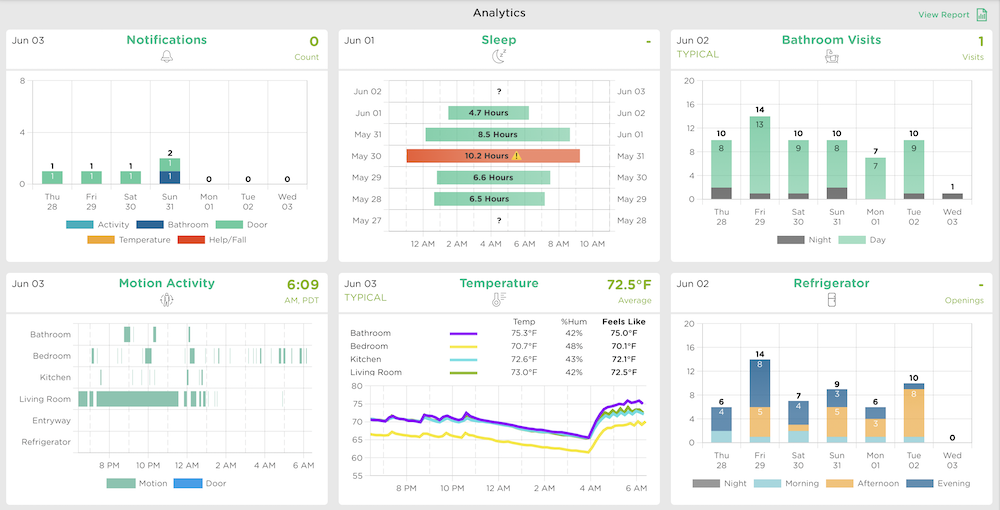
At its core, home activity monitoring uses small motion sensors placed in key areas of the home, such as the bedroom, bathroom, kitchen, and main living spaces. These sensors do not record video or audio. They simply detect movement and note when activity happens.

Over time, the system learns a person’s usual routine. It may notice when they typically get out of bed, how often they use the bathroom overnight, whether they are spending time in the kitchen around mealtimes, or if they are moving through the home less than usual. That matters because routine is often one of the clearest signals of well-being, especially for older adults living alone.

The technology is not just collecting motion events. It is looking for patterns. A single late morning might mean nothing. But several days of sleeping in longer, skipping the kitchen, or making more frequent bathroom trips at night can point to a change worth noticing. Instead of expecting family members to interpret raw data themselves, newer systems use analytics to flag meaningful shifts and send simple updates or alerts.

That is what makes this category different from basic alarm systems. The goal is not only to detect emergencies after they happen. It is to help families notice changes early, when there may still be time to check in, adjust care, or schedule a doctor’s visit.

What the sensors actually detect

The word monitoring can sound more intrusive than it really is. In most home activity monitoring systems, the sensors are passive. They detect motion in a room, not exactly what someone is doing. If a sensor in the kitchen is active at 8:00 a.m., the system can infer that someone is up and moving through their usual morning routine. It cannot see whether they made oatmeal or poured coffee.

That level of detail is intentional. Families usually do not need constant surveillance. They need reassurance. Is Dad getting out of bed? Is Mom following her normal routine? Has there been an unusual stretch of inactivity? Is something different happening at night?

A well-designed setup usually includes a few carefully chosen sensor locations rather than trying to cover every inch of the home. More sensors are not always better. The point is to create a reliable picture of daily life without making the home feel clinical.

How the system learns routines over time

This is where home activity monitoring becomes more useful than a simple motion detector. During the first days and weeks, the system starts building a baseline of normal activity. That baseline is personal. One older adult may wake at 5:30 a.m., spend a lot of time in the kitchen, and nap in the afternoon. Another may sleep later, move less often because of mobility limitations, and wake several times overnight.

There is no single healthy routine that fits everyone. Good monitoring systems are built around that reality. They learn the individual household instead of forcing everyone into the same standard.

Once a baseline is established, the software can compare current behavior against what is typical for that person. If activity in the bathroom increases sharply overnight, or there is much less movement in the kitchen for several days, the system may identify that as a meaningful change. Some platforms send real-time alerts for urgent concerns and daily summaries for lower-level changes, so caregivers are informed without being overwhelmed.

This is especially helpful for families who live at a distance. You may not be there to notice small shifts in energy, sleep, or movement. Pattern-based monitoring fills in some of that gap.

Why behavior changes matter

Aging often brings gradual change, and gradual change is easy to miss. A parent may sound fine on the phone while quietly becoming less active, sleeping poorly, or spending more time in the bathroom. Those signs do not always mean something serious, but they can be early clues.

Reduced kitchen activity might suggest skipped meals, low energy, or trouble preparing food. Less movement around the home could point to pain, fatigue, depression, or mobility issues. More nighttime bathroom visits may be related to medication changes, dehydration, urinary issues, or blood sugar changes. Longer periods in bed can signal illness or recovery needs.

None of these patterns tells the whole story on its own. That is the trade-off. Home activity monitoring is useful because it highlights changes, but it does not diagnose the reason behind them. It gives families a reason to pay attention and ask better questions.

For many caregivers, that is exactly what they need. Not a flood of data, and not a false promise that technology can replace human judgment. Just an earlier heads-up when something seems off.

How alerts and summaries help caregivers

The best systems do not expect you to watch a dashboard all day. They do the watching for you and communicate only what is useful. That might mean a real-time alert if there is an unusual period of inactivity during the day, or a morning summary that shows whether your loved one followed their typical routine overnight.

This matters when you are balancing work, kids, and your own household. Most family caregivers are not looking for another screen to manage. They want fewer unknowns. A simple notification that says activity was lower than usual, or that the morning routine started much later than normal, can help you decide whether to call, text, or stop by.

The strongest systems also reduce false alarms by focusing on patterns rather than isolated moments. If your dad naps longer one afternoon, that may not trigger concern. If his activity drops significantly for three straight days, that is more likely to prompt an alert. That distinction helps caregivers stay engaged instead of becoming numb to constant notifications.

Privacy is a major reason families choose it

Many older adults strongly resist anything that feels like surveillance, and that concern is valid. Cameras in private spaces can feel humiliating. Microphones raise obvious concerns. Even wearables can feel burdensome or stigmatizing.

That is why passive, camera-free monitoring appeals to so many families. It provides visibility into daily well-being without recording private moments. Seniors can move through their home naturally. They do not have to press a button, remember a device, or explain why there is a camera in the hallway.

This privacy-first approach can also make adoption easier. When an older parent hears that the system does not listen, watch, or interfere with daily life, they are often more open to the conversation. Independence is not just about staying at home. It is also about preserving dignity while they do.

It works best as part of a broader care picture

Home activity monitoring is helpful, but it is not magic. It does not replace medical care, in-person visits, or honest conversations about safety. It works best as one layer of support.

For some families, that layer is enough to ease everyday worry. For others, it becomes part of a broader plan that may include home care visits, medication management, fall prevention steps, or regular appointments. The value depends on the situation. Someone recovering from surgery may need closer short-term monitoring. Someone with mild mobility changes may benefit more from long-term trend tracking.

That flexibility is part of the appeal. A good system meets families where they are. It helps when concerns are still early and can continue to provide reassurance as needs change.

StackCare follows this privacy-first model by turning in-home activity into clear, meaningful alerts for families, without cameras or wearables. For caregivers who are carrying a lot already, that kind of simplicity matters.

If you are trying to support an older parent from across town or across the country, understanding how home activity monitoring works can make the choice feel less intimidating. At its best, it does not replace care. It makes care more informed, more timely, and a little less heavy to carry alone.
Best Privacy-First Senior Safety Solutions

If you have ever hesitated before suggesting a camera for your mom’s home, you already understand the problem. Families want safety, but they do not want to turn a private home into a place that feels watched. That is why more people are looking for the best privacy-first senior safety solutions - options that help older adults stay safe at home without giving up dignity, comfort, or independence.

For many caregivers, this search starts after a scare. Maybe a parent stopped answering the phone for a few hours. Maybe there was a fall, a missed meal, or a growing sense that something is changing but no one can quite tell what. The hard part is that traditional solutions often force a trade-off: either you get very little information, or you get far too much intrusion.

The good news is that safety technology has changed. The strongest options now are designed around a simple idea: families need meaningful insight, not constant surveillance. And older adults deserve support that respects the fact that this is still their home.

What makes the best privacy-first senior safety solutions different

Privacy-first safety tools are built to answer real caregiving questions without collecting more personal information than necessary. Instead of recording everything, they focus on patterns, changes, and alerts that help families know when to pay attention.

That matters because most caregivers are not trying to monitor every moment. They want to know whether their dad got out of bed this morning, whether their mom is moving around less than usual, or whether a late-night bathroom pattern suddenly changed. These are useful signals. A live video feed of someone making coffee in their pajamas is usually not.

The best privacy-first senior safety solutions also recognize that older adults are more likely to accept support when it does not feel invasive. A device can be technically effective and still fail if a parent refuses to use it, turns it off, or feels embarrassed by it. In practice, privacy is not just an ethical preference. It is part of what makes a solution actually work.

The main categories of privacy-first senior safety tools

Passive in-home monitoring

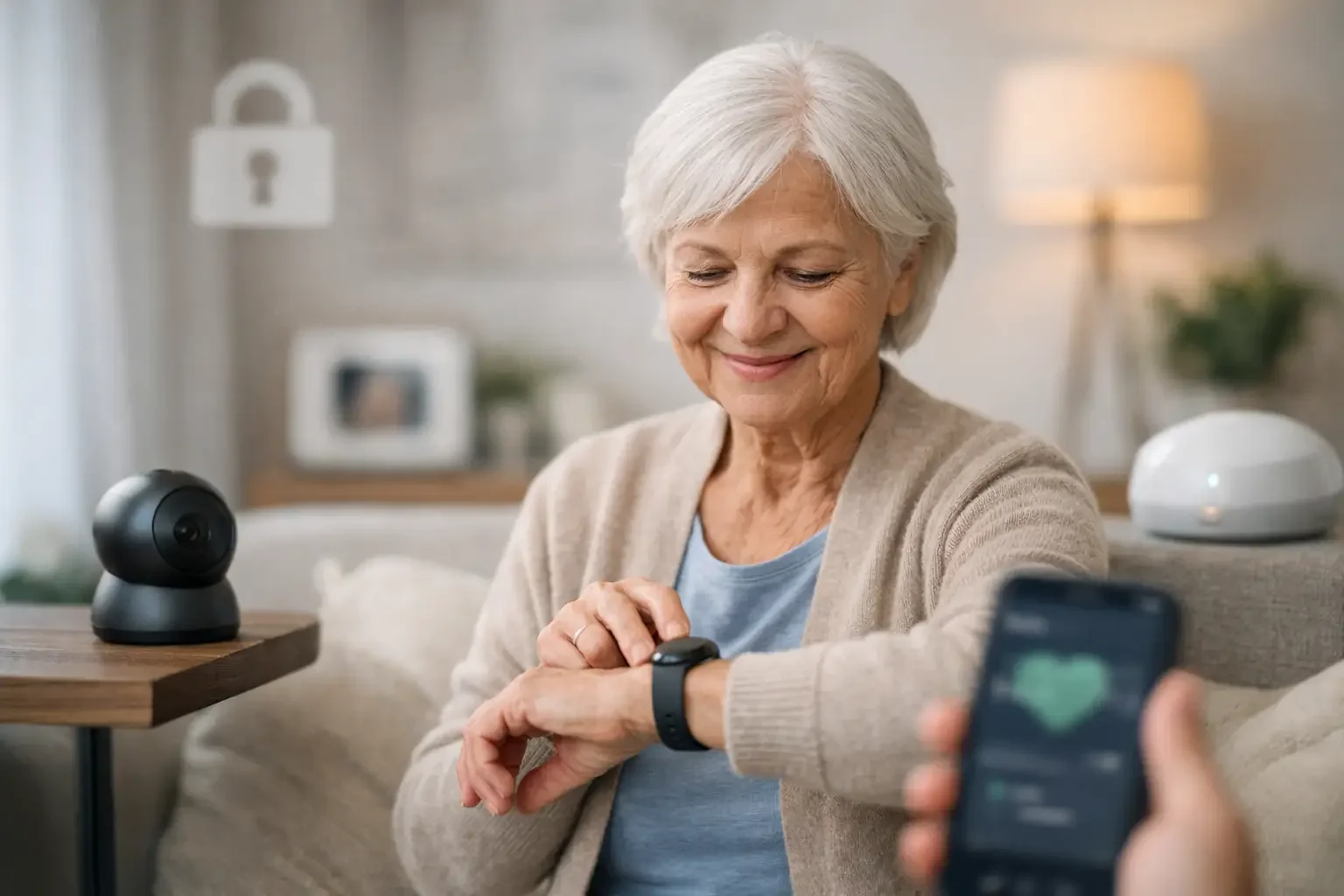
This is often the strongest fit for families who want ongoing visibility without adding friction to a loved one’s day. Passive systems use discreet sensors placed around the home to detect motion and daily activity patterns. Instead of requiring the older adult to press buttons, wear a device, or interact with an app, the system quietly monitors routines in the background.

What families get is context. You can see whether normal activity happened, whether overnight rest seems disrupted, or whether a noticeable change in bathroom use or movement might need follow-up. This approach is especially helpful for seniors who live alone, for people who forget to wear medical alert devices, and for adult children managing care from a distance.

The trade-off is that passive monitoring does not usually provide a detailed medical diagnosis. It tells you that behavior changed, not always why. For most families, that is still exactly the right level of information. It helps them act sooner without crossing the line into surveillance.

Medical alert systems without cameras

Traditional medical alert systems can still play an important role, particularly for seniors with fall risk who are comfortable wearing a pendant or wrist device. These systems are privacy-preserving compared with cameras because they are usually activated by the user or triggered by fall detection, rather than constantly recording the home.

But there is a catch. They depend heavily on compliance. If your parent forgets to wear the device, leaves it on the charger, or cannot press the button during an emergency, the protection becomes less reliable. That does not make them a bad option. It just means they work best for older adults who are willing and able to use them consistently.

Smart home safety devices

Some families piece together privacy-conscious safety support using tools like door sensors, smart locks, stove shutoff devices, water leak detectors, and automated lighting. These can reduce specific risks without collecting sensitive personal footage or audio.

This approach can be useful when there is a clear, narrow concern, such as wandering, kitchen safety, or nighttime falls. The downside is that separate devices can create a patchwork of notifications that families then have to interpret on their own. If what you need is broad peace of mind rather than one fix for one problem, a more integrated solution is often easier to live with.

How to evaluate privacy without guessing

Many products claim to respect privacy, but families should look past the marketing language. The real question is simple: what information is actually being collected, and who has access to it?

If a system uses cameras or microphones in private living spaces, it is not truly privacy-first, even if the company says the footage is secure. Security matters, but it is separate from privacy. A locked recording is still a recording.

A better model is one that limits data collection from the start. If the system only captures motion patterns or changes in routine, there is less sensitive information to worry about in the first place. That reduces both emotional discomfort and practical risk.

It also helps to ask how the information is delivered. Overwhelmed caregivers do not need a stream of raw sensor activity. They need clear alerts and summaries that tell them what changed and whether it looks urgent. Good design protects privacy and lowers caregiver stress at the same time.

Best privacy-first senior safety solutions for common caregiving situations

When a parent lives alone and values independence

Passive in-home monitoring is often the best fit here. It offers quiet oversight without making the older adult feel managed. Families can stay informed about routines while the parent continues living normally, without cameras in the kitchen or constant check-in calls.

This can be a major emotional relief on both sides. Adult children feel less uncertainty, and parents avoid the feeling that every private moment is subject to review.

When there is a known fall risk

A wearable alert system may still deserve a place in the plan, especially if the senior is comfortable using it. But many families find that wearables work better when paired with passive monitoring rather than used alone. One supports emergency response, while the other helps spot quieter changes before they turn into emergencies.

That combination can be especially useful after a hospitalization, during physical recovery, or when mobility is gradually declining.

When the concern is subtle changes, not obvious crises

This is where behavior-based monitoring stands out. Small shifts in sleep, bathroom activity, movement, or time spent out of bed can reveal that something is off before there is a dramatic event. Families often notice these changes too late when they rely only on occasional calls or visits.

A solution like StackCare is built around this kind of insight. It uses discreet in-home sensors and behavioral analytics to identify changes in routine and send simple alerts to family caregivers, without cameras, microphones, or wearables. For many families, that balance is exactly what they have been looking for.

What families often get wrong when choosing a solution

One common mistake is choosing based only on emergency scenarios. Falls matter, of course. But many caregiving problems develop gradually. Reduced activity, restless nights, unusual bathroom patterns, or missed parts of a daily routine can all signal trouble earlier than a crisis button ever will.

Another mistake is assuming that more data is always better. It usually is not. More footage, more dashboards, and more notifications can leave caregivers feeling responsible for constant interpretation. The best solutions reduce mental load. They do not create another job.

It is also worth being honest about your loved one’s preferences. A system that looks good on paper but feels intrusive in practice may create resistance and family conflict. Privacy-first design is often what makes a parent willing to say yes.

How to choose with confidence

Start with the real problem you are trying to solve. If you are worried about day-to-day wellbeing and want to notice changes early, choose a system that tracks routine patterns passively. If the biggest concern is emergency response during a fall, make sure that need is covered too. In many homes, the answer is not one device but one simple system that fits the person.

Then think about the lived experience. Will your loved one need to remember to wear something? Charge something? Press a button? Will they feel watched? Will you be expected to sort through a lot of data yourself? These questions matter just as much as feature lists.

The best privacy-first senior safety solutions are not the ones that collect the most information. They are the ones that give families enough insight to act, while letting older adults keep the privacy and dignity that make home still feel like home.

If you are carrying that quiet worry every day, the right technology should lighten it - not add another burden. The most helpful solution is often the one that watches less, notices more, and helps everyone breathe a little easier.

Elder Sensors vs Cameras: What Families Need

When a parent starts needing a little more support at home, most families are not looking for gadgets. They are looking for relief. That is why the question of elder sensors vs cameras matters so much. The right choice can ease the constant worry of not knowing if Mom got out of bed, ate lunch, or had a hard night. The wrong choice can add stress, resistance, and a feeling of being watched.

For many families, this decision is not really about technology. It is about balancing safety with dignity. You want more visibility into your loved one’s well-being, but you do not want their home to feel like a surveillance zone.

Elder sensors vs cameras: the real difference

At a basic level, cameras show you what happened. Sensors tell you that something happened.

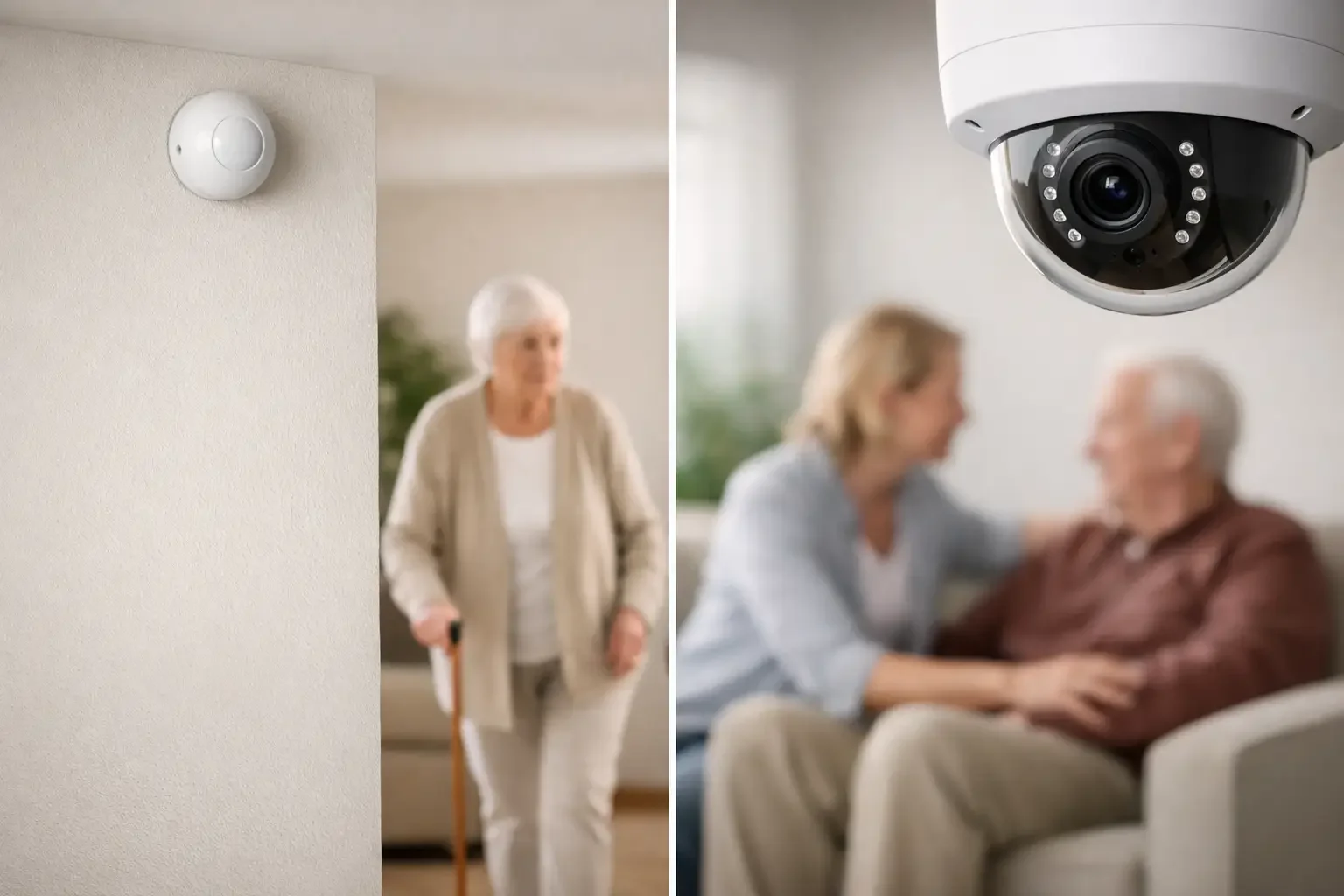
That may sound like a small distinction, but in day-to-day caregiving, it changes everything. Cameras capture video footage in specific rooms. Depending on the setup, they may also record audio. Sensors, by contrast, usually detect motion, door activity, room transitions, or patterns like bathroom visits and overnight movement without capturing images or conversations.

For some families, cameras feel reassuring at first because video seems more direct. If you can see the room, it feels like you know what is going on. But that clarity often comes with trade-offs that become harder to ignore over time.

Sensors are less about watching and more about understanding routines. Instead of asking a daughter to scan footage, a sensor-based system can identify that Dad did not enter the kitchen this morning, spent far longer in the bathroom than usual, or showed unusually low activity all afternoon. That is a different kind of visibility. It is often more useful because it focuses on change.

Why cameras can feel reassuring and still fall short

There are situations where cameras have a place. If a family is trying to confirm frequent falls in a shared living area, or if a loved one agrees to visible monitoring in a narrow part of the home, a camera may offer helpful context. Some caregivers also like being able to check in visually when they cannot visit in person.

But cameras create their own burden. Someone usually has to review footage, respond to notifications, or decide whether what they are seeing is actually a problem. That can turn caregiving into another screen-based responsibility in an already overloaded day.

There is also the human side. Many older adults do not want cameras in private spaces, and understandably so. Even when cameras are limited to common areas, they can still make a home feel less like home. A parent may tolerate them for the family’s sake while quietly feeling embarrassed, exposed, or less independent.

That discomfort matters. Monitoring only works if the older adult accepts it enough to live naturally in the space. If they start changing behavior because they feel watched, the system may become less helpful, not more.

Why sensor-based monitoring often fits aging at home better

Aging in place works best when support is present but not disruptive. That is where sensors often have the advantage.

A well-designed sensor system can sit in the background and learn daily rhythms. It can notice whether someone got up at the usual time, moved through the home normally, opened the refrigerator, or made repeated nighttime bathroom trips. It can also flag meaningful changes, such as less activity over several days or unusual motion patterns that may suggest weakness, illness, or recovery trouble.

This kind of monitoring is especially valuable for families who live far away or who cannot call and visit constantly. They do not need endless raw data. They need to know when something is off.

That is why behavioral insights matter more than simple motion detection. A pile of activity logs is not helpful if a caregiver still has to interpret everything themselves. What reduces stress is getting a clear alert when a routine changes in a way that deserves attention.

For families who want oversight without intrusion, this approach often feels like the best middle ground. It supports safety while protecting privacy.

Privacy is not a small detail

In elder care, privacy is often treated like a secondary preference. It is not. Privacy is closely tied to dignity, trust, and the older adult’s willingness to accept help.

Most seniors want to stay independent for as long as possible. That does not just mean staying out of a facility. It means being able to move through their own home without feeling observed every minute. Cameras can undermine that feeling quickly, especially in bedrooms, hallways near bathrooms, or places where someone relaxes, changes clothes, or has personal moments.

Sensors are not invisible in a moral sense. Families should still talk openly about what is being monitored and why. But there is a major difference between knowing motion patterns are being tracked and knowing a camera could capture you every time you shuffle to the bathroom in your robe.

For many families, that difference is the deciding factor.

What families actually need from monitoring

Most adult children are not trying to create a high-tech command center. They are trying to stop guessing.

They want to know if their mom is following her normal routine. They want to know if their dad, who is recovering from a hospital stay, is moving less than expected. They want to know if a parent with Parkinson’s is making more frequent nighttime trips or spending too long in one room. And they want to know this without calling five times a day and without asking a loved one to wear something they will probably forget to charge.

That is why the most helpful systems do not just collect information. They turn information into something usable. Smart alerts, simple daily summaries, and pattern-based insights help families respond earlier and with more confidence.

This is where companies like StackCare have taken a different approach from traditional monitoring. Instead of asking families to watch, interpret, and worry, the goal is to deliver clear signals about well-being while keeping the home private and calm.

When cameras may still make sense

Even if sensors are the better fit for many households, there are cases where cameras are still worth considering.

If a loved one has advanced cognitive decline and a physician or care team recommends visual monitoring in limited areas, a camera may serve a specific purpose. The same can be true in a home with paid caregivers, where families want accountability in entryways or common spaces. Some households also choose a hybrid approach, using sensors throughout the home and a camera only at the front door.

The key is being honest about the goal. If the goal is ongoing awareness of daily well-being, cameras are often too invasive and too manual. If the goal is to visually verify a very specific concern in a very specific place, they may be appropriate.

It depends on the person, the health condition, the home layout, and the family’s comfort level. There is no single right answer for every situation.

How to choose between elder sensors and cameras

Start with the problem you are trying to solve. If your biggest concern is whether your loved one is maintaining normal routines, getting up, moving around, eating, and sleeping as expected, sensors are usually the better tool. If you are trying to monitor one narrow activity that truly requires visual confirmation, a camera may have a role.

Then think about consent. What will your parent actually accept? A technically impressive system is not useful if it creates conflict or gets unplugged after a week. Many older adults are much more comfortable with passive sensors because they feel less intrusive.

You should also think about who will manage the information. If alerts require you to constantly open an app, review clips, and decide what matters, the system may add work instead of reducing it. A better setup gives you meaningful updates without demanding your attention every hour.

Finally, ask what preserves independence. The best monitoring should support a loved one’s ability to live at home on their own terms, not make home feel smaller.

Choosing care technology can stir up guilt, second-guessing, and family disagreements. That is normal. Most people are doing the best they can in a situation that has no perfect answers. If you keep coming back to privacy, dignity, and useful insight over constant watching, you are probably asking the right questions.