
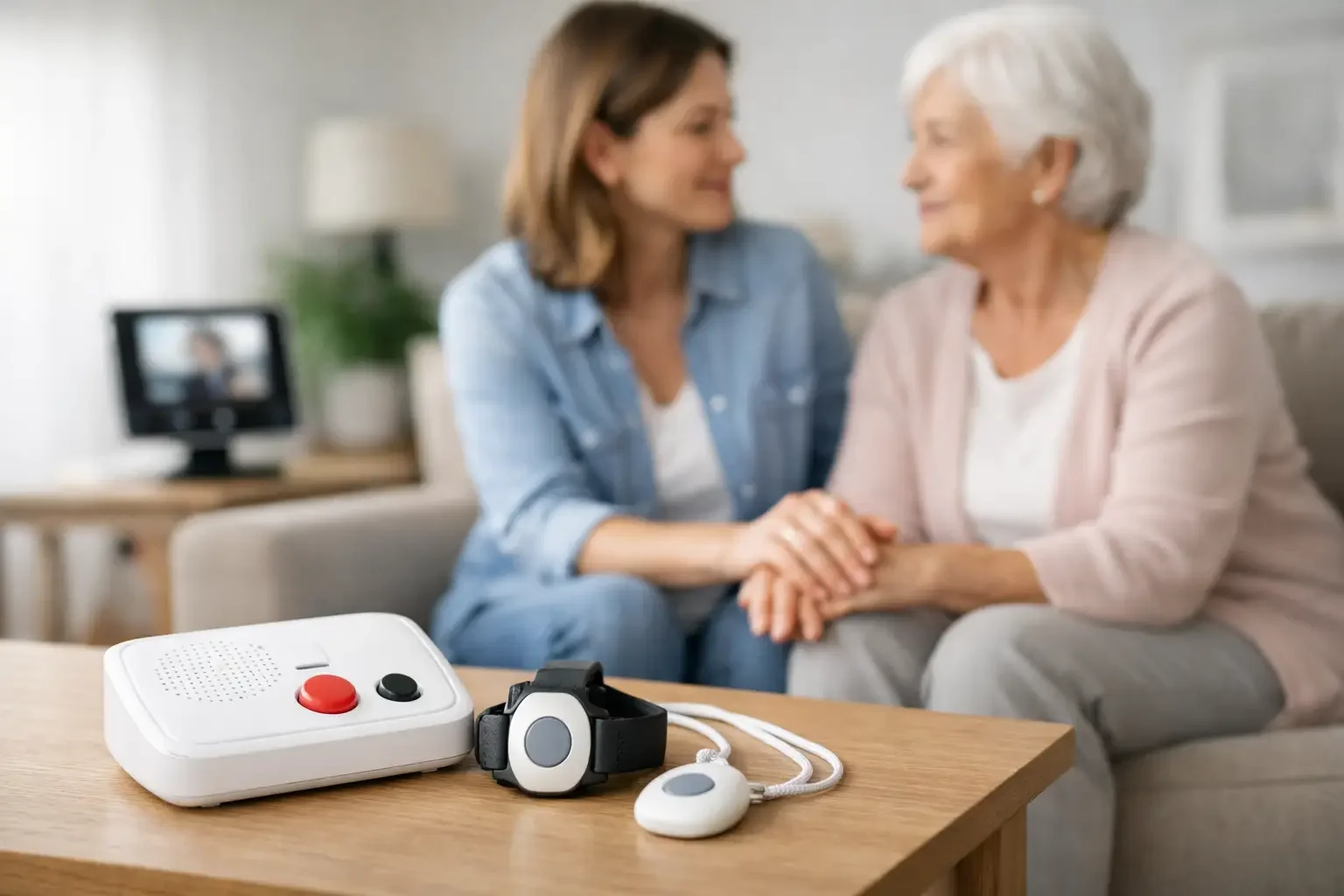
For most caregivers, the hard part is not a single emergency. It is the uncertainty between visits and phone calls. Did Dad get out of bed this morning? Is your aunt moving around less than usual? Did your parent have a restless night, or are they spending more time in the bathroom than normal? These questions can sit in the background of your workday and family life, adding stress even when nothing is visibly wrong.
The right alert system can help, but not every system solves the same problem. Some are built for emergencies only. Others create more noise than clarity. The best fit depends on your loved one's health, personality, home setup, and your role as a caregiver.
What family caregiver alert systems are really for
Most people hear "alert system" and think of a button someone wears around their neck. That can be useful in some situations, especially for someone with a high fall risk who is willing and able to press it. But family caregiver alert systems now cover a much wider range of needs.
Some systems are designed to call for help during an urgent event. Others are designed to notice patterns that suggest something is changing before it becomes a crisis. That difference matters. If your mom lives alone and values her independence, a system that only works when she remembers to use it may leave big gaps. If your father would never agree to cameras in the house, a video-based setup may create conflict instead of peace of mind.
A helpful system does more than send notifications. It should answer a simple question: does this help the family understand what is normal, what has changed, and when to check in?
The main types of caregiver alert systems
There are a few common categories, and each one comes with trade-offs.
Personal emergency response systems, often called medical alert systems, are built around a wearable pendant or wrist button. Their strength is direct access to help during an emergency. Their weakness is that they rely on the older adult wearing the device consistently and using it when something goes wrong. For a person with memory issues, pride, or a habit of leaving the device on the nightstand, that can limit the value.
Motion-based in-home monitoring systems use sensors placed around the home to detect activity. These systems can show whether someone got out of bed, used the kitchen, or followed their usual routine. For caregivers, this can be more reassuring than a button because it does not depend on the senior doing anything differently. It is especially useful for long-distance families or for parents who want support without feeling watched.
Smart home devices can also be part of the picture. Door sensors, fall detectors, medication reminders, and voice assistants may provide helpful pieces of information. The challenge is that these setups can become fragmented. If alerts come from five different devices in five different ways, caregivers often end up managing technology instead of receiving support.
Camera-based systems give visual confirmation, but they are not right for every family. Some people feel safer with them. Others find them invasive, especially in bedrooms, bathrooms, or private living spaces. Privacy concerns are not minor here. A system only works if your loved one feels respected enough to accept it.
How to choose the right system for your family
The best choice usually starts with your loved one's daily life, not the product brochure.
Think first about the kind of reassurance you actually need. If your biggest fear is a fall during a walk outside the home, a wearable emergency button might matter most. If your concern is a gradual decline - sleeping later, moving less, changes in bathroom activity, missed meals - passive monitoring may be more helpful because it can reveal changes you would otherwise miss.
It also helps to be honest about behavior. Will your parent charge a device every night? Will they remember to wear a watch? Will they press a help button if they are confused, embarrassed, or trying not to "bother" anyone? Many families know the answer before they buy, but it is easy to talk themselves into a solution that looks good on paper.
Then look at the caregiver side. Good systems should make life simpler. Alerts should be understandable, timely, and meaningful. You should not have to interpret pages of raw activity data to figure out whether something is wrong. If the system creates a constant stream of vague notifications, it can increase anxiety rather than reduce it.
Family caregiver alert systems guide: what features matter most
A long feature list is not the same as real support. In practice, a few qualities tend to matter more than anything else.
Reliable alerts come first. If a system misses major changes or sends constant false alarms, families stop trusting it. The point is not to receive more notifications. It is to receive the right ones.
Privacy matters just as much. Many older adults will accept motion sensors or door sensors more easily than cameras or microphones. That distinction can make the difference between a smooth conversation and a hard no. For families trying to preserve dignity and independence, passive monitoring often feels like a better fit.
Ease of use is another big one. Adult children juggling work, kids, and caregiving do not need a second job. The best systems present information clearly and send updates in a way that fits into daily life.
Context is often overlooked. An alert that says "no motion detected" is less helpful than one that reflects a change from normal routine. This is where smarter systems stand apart. They do not just report activity. They help families understand whether today's activity is unusual for that specific person.
When passive monitoring is the better choice
There is a reason more families are looking beyond emergency buttons. A lot can happen before an emergency becomes obvious.
A parent recovering from surgery may start taking fewer trips to the kitchen. Someone with Parkinson's disease may show subtle changes in nighttime movement. An older adult with growing mobility issues may spend more time in one room and less time moving through the house. None of these changes automatically mean danger, but they can signal that something needs attention.
Passive monitoring is often the better choice when the goal is early awareness without constant intrusion. It works quietly in the background and does not require the older adult to learn new habits. That is especially valuable for seniors who want to stay independent and for caregivers who cannot be physically present every day.
This is also where a privacy-first approach matters. Families want insight, but they do not want to turn a loved one's home into a place that feels monitored every second. Systems like StackCare are designed around that balance - using discreet sensors and behavioral insights to help families notice meaningful changes without relying on cameras, microphones, or wearables.
Questions to ask before you commit
Before choosing a system, it helps to ask a few plain questions. What exactly triggers an alert? Who receives it? Is there a daily summary, or only emergency notifications? Can the system adapt to a person's routine over time? How easy is it to install and manage? And just as important, how will your loved one feel about it after the first week, not just on setup day?
Cost matters too, but value is not only about the monthly fee. A cheaper system that goes unused or creates confusion can cost more in stress. A more thoughtful system that gives clear insight and helps a parent remain safely at home may be worth far more.
Talk about the goal, not just the device
Introducing an alert system can be emotional. Many older adults hear "monitoring" and assume it means losing privacy or control. That is why the conversation matters as much as the technology.
It often helps to frame the decision around independence. You are not trying to take over. You are trying to make it easier for them to keep living at home with less interruption and fewer worried check-in calls. The best systems support that goal quietly, in the background, while still giving family members confidence that they will know when something changes.
If you are choosing for someone you love, trust your instincts about what will truly help. The right system should lower stress, respect privacy, and make daily caregiving feel a little less lonely.